
Sport shift reservations and queue procedures
You can participate in sport shifts either by reserving a place in advance in CampusSport’s electronic reservation system or by attending without advance booking. 70 % of available places in each shift can be pre-reserved through the electronic reservation system. The remaining 30 % of the places are available on a first come, first served basis.
How to make a reservation
Login to the reservation system via ”Reserve a class” button. In desktop view the button is in the top right corner of this page, and in mobile view in the collapsed menu. Log in with your university’s HAKA user ID.
- Select the branch ”Educarium”, ”Iskeri”, ”Muut/Other” or ”Sport Sirkka”.
- Select the type “Liikuntavuorot / Sports shifts”
- Select the service ”All group reservartions/Kaikki ryhmäajanvaraukset”, in order to see all the available sport shifts, or select the shift that you want.
You will receive an automatic confirmation message after having made the reservation.
If all pre-reserved places are full, you can register for a queue slot. If you receive a slot from the queue, you will be notified by email no later than two hours before the shift starts. If you have not received a notification about an available slot at least two hours before the shift starts, you have not received a place for that shift.
Note that the 30% of the places that are allocated at the sports facility on a first come, first served basis are separate from pre-reserved places or slots in the queue.
How to interpret the number of available places for sport shifts in the reservation system
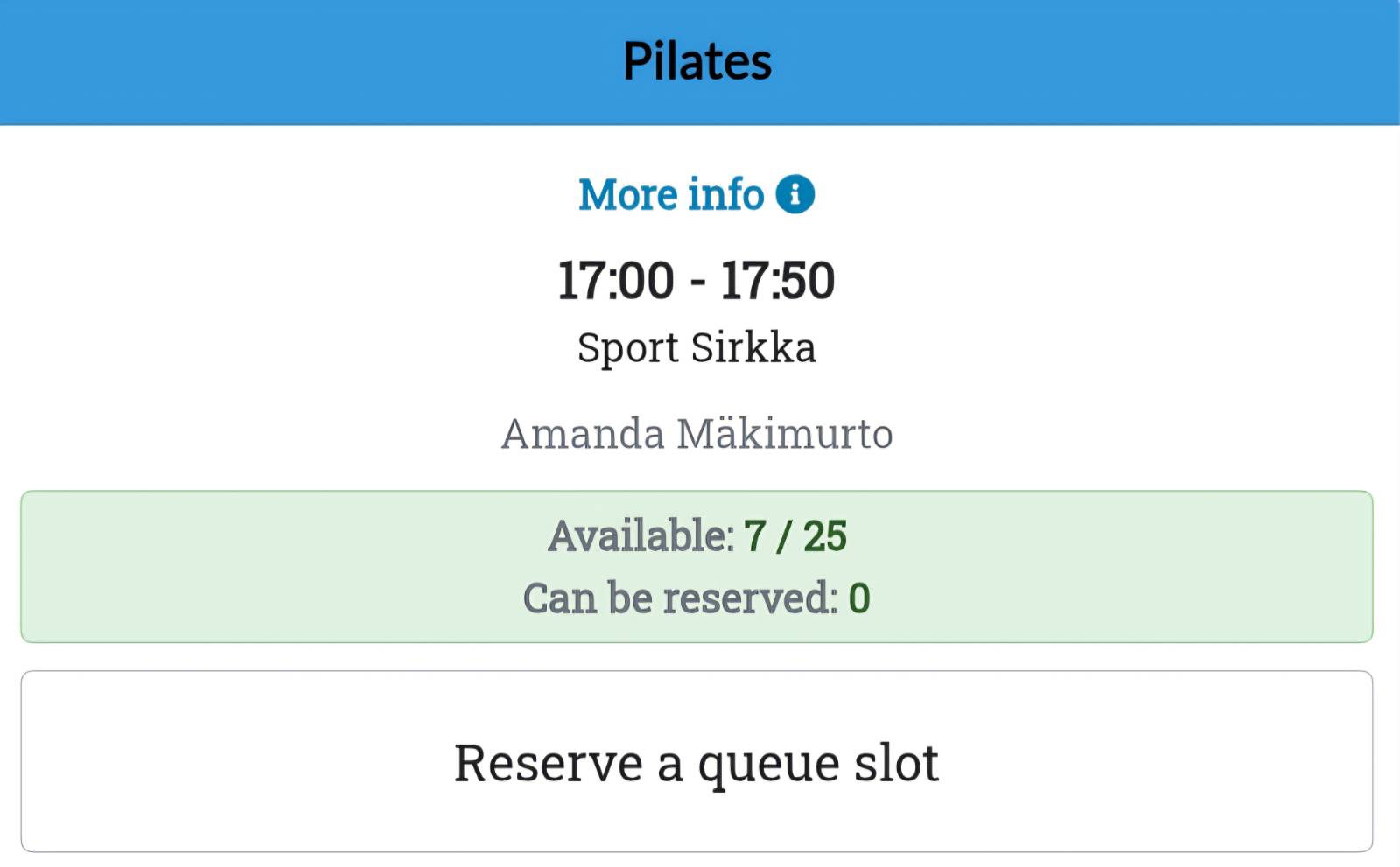
When the reservation system shows the following for a sport shift, such as Pilates, “Available: 7/25” and below that “Can be reserved: 0”, it means the following:
- The sport shift has a total of 25 places, which includes both those that can be pre-reserved through the reservation system and those allocated at the sports facility first come, first served basis
- All of the pre-reserved places (18 places) have already been reserved
- The remaining 7 places are allocated at the sports facility on a first come, first served basis. These places represent the 30% of total capacity mentioned earlier.
How to cancel a reservation
In case of hindrance, reservations need be cancelled in the reservation system. Cancellations are not accepted by email or phone. The cancellation must be done at least two hours before the shift starts. After this, cancellation can no longer be done. The same cancellation deadline also applies to those who get a place from the queue. Cancel your reservation the reservation system by selecting “My pages” and after that “My reservations”. Click the bin image next to the shift’s name.